

Data Collection #
Reportworq supports several functions that are used to “writeback” data into configured data sources like IBM Planning Analytics via the native DBS, DBSS, DBSW formulas. These formulas are only available and executed when Reportworq receives a file for processing using a Reportworq Data Collection license.

RW.PlanningAnalytics.MDX #
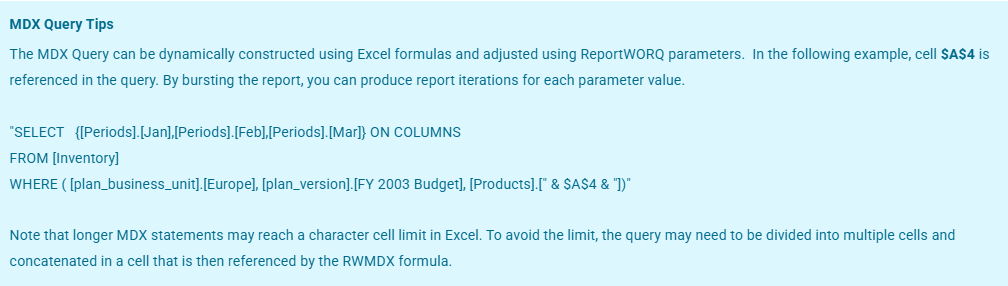
The RW.PlanningAnalytics.MDX aka RWMDX function executes a raw MDX query against a Reportworq configured TM1 or Planning Analytics (PA) connection and writes the results directly into a target range in the Excel template at report generation time. It is the most flexible way to retrieve data from TM1/PA when the standard Quick Report or Universal Report approaches don’t fit the use case — giving you full control over the MDX query and the output layout. If you are on a version earlier than 5.0.0.91 use RWMDX.
Syntax #
RW.PlanningAnalytics.MDX( Range or Table Name, Connection Name, MDX Query)
| Parameter | Description |
| Range or Table Name | A reference to an Excel table or a cell range. See Excel Ranges or Table Names for more information. |
| Connection Name | The name of the configured TM1/PA data source connection to query against. For more information on the configuration of these connections, please see IBM Planning Analytics datasources. |
| MDX Query | The query to execute against the datasource provider. The query must only return a single dataset. |
Examples #
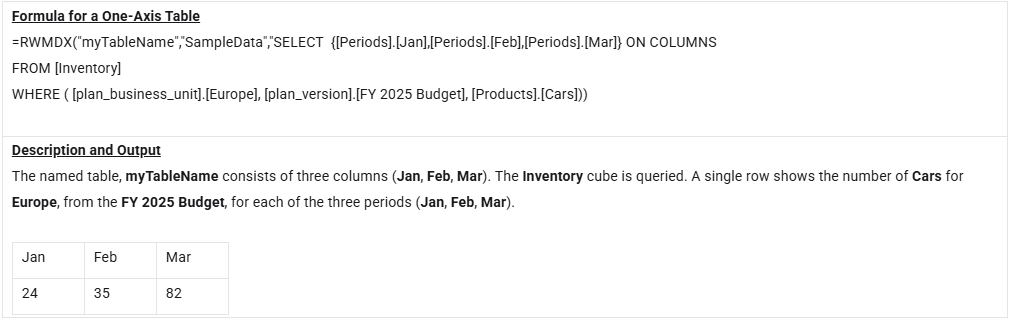
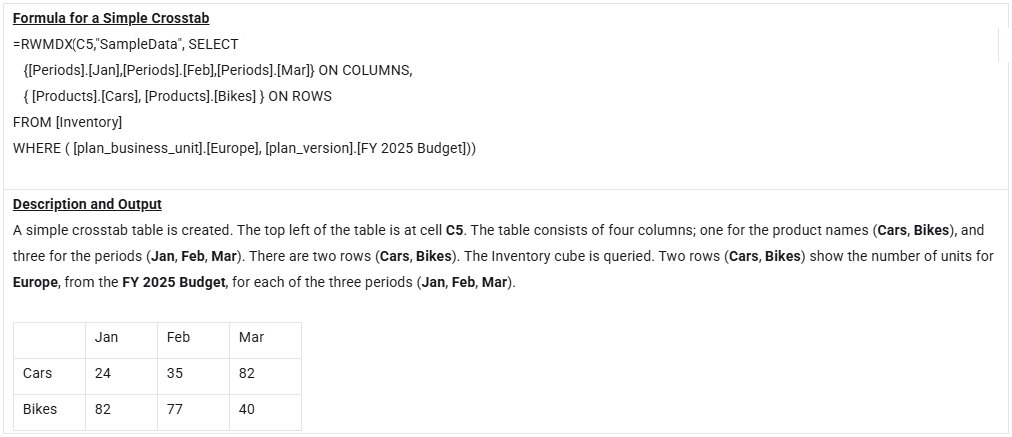
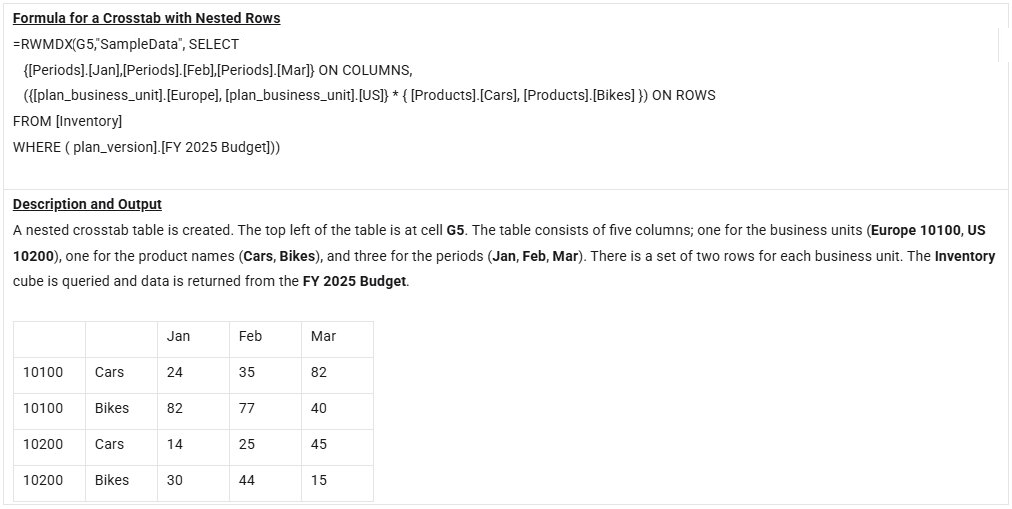
=RW.PlanningAnalytics.MDX(A1, "TM1Server1", "SELECT NON EMPTY [Time].Children ON ROWS, {[Measures].[Revenue]} ON COLUMNS FROM [Sales]")=RW.PlanningAnalytics.MDX(B5, "FinanceTM1", "{[Period].[2026]} ON COLUMNS FROM [Plan]")The following examples are based on a IBM Planning Analytics datasource connection named “SampleData” in Reportworq.
Common mistakes #
| Situation | Result |
|---|---|
Invalid targetRange | Formula errors before the query runs |
| Empty query text | Formula errors |
| MDX returns an unexpected cell count for the axes | Report generation fails for that formula |