

Configuration #
The following steps must be performed to enable Reportworq distribution to Google Drive:
- Create an API Service Account for Reportworq using Google Drive Report Provider Configuration.
- Configure a Google Drive Distributor.
Configuring the Google Drive Distributor for Reportworq #
Reportworq administrators can open the Administration screen from the Administration button on the top right side of the page and edit Google Drive settings.
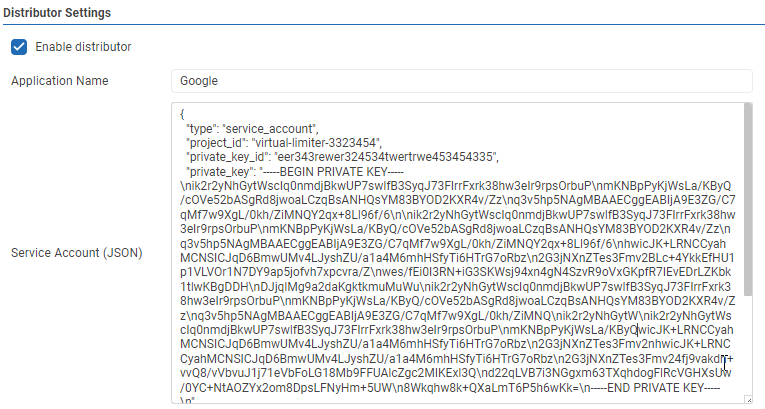
- Application Name: This is the name of the Google Project created previously.
- Service Account (JSON): This is the API Service account key JSON text created and downloaded previously.
- Test: Clicking the ‘✓’ button will either display a success message or show error messages with further information on missing or misconfigured settings.
- Save: the ‘Save’ button saves changes made to the distributor settings.
- The Google Drive Distributor can be enabled or disabled by clicking the checkbox.
