
The AI prompt store#
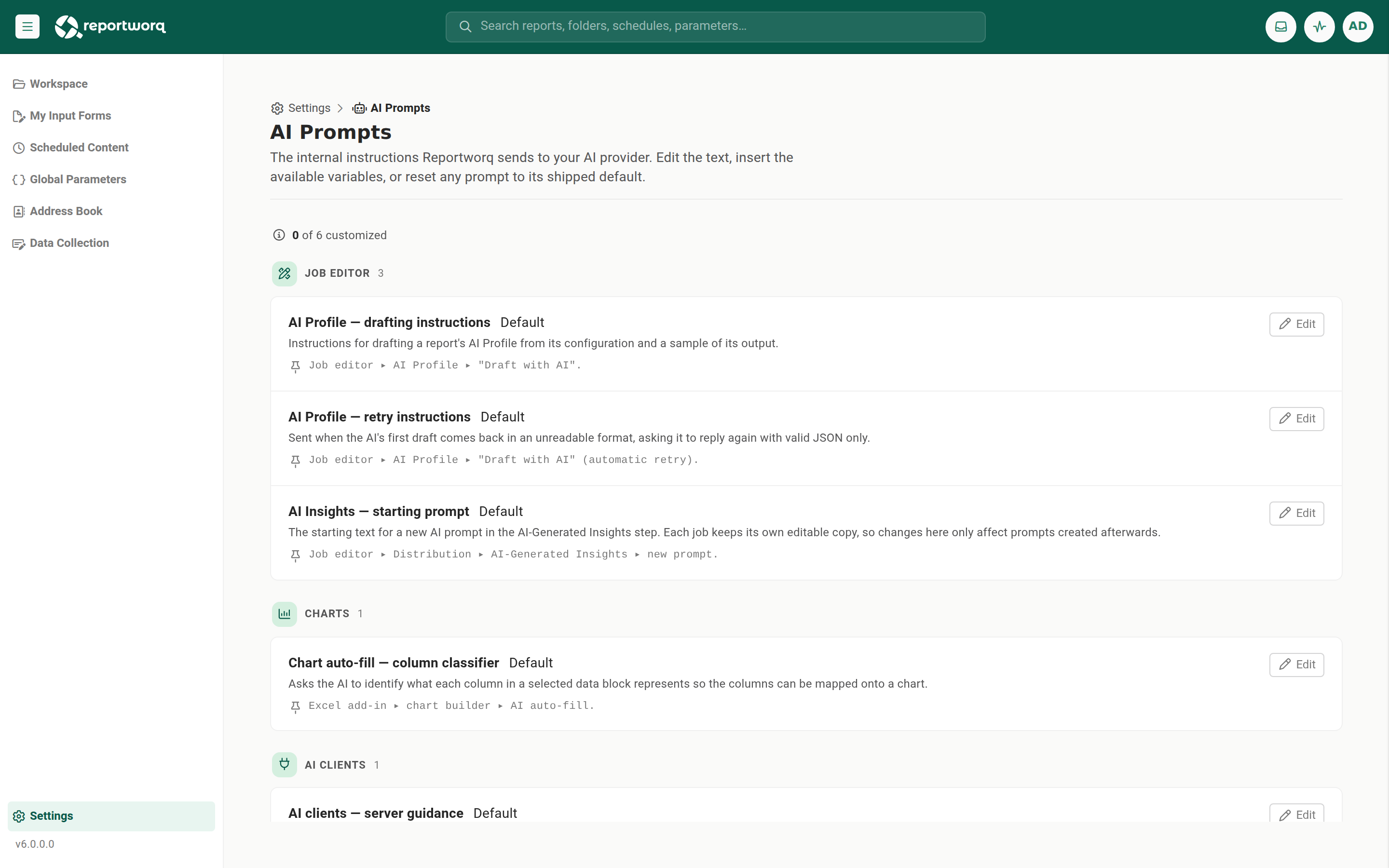
Reportworq's AI features, the AI Profile draft, chart auto-fill, the Ask AI assistant, and job diagnostics, each send an internal instruction prompt to your configured AI provider. The AI prompt store centralizes those prompts into a single global catalog you can review and tune in Settings ▸ AI Prompts, so you can adjust how Reportworq instructs the model without a code change or redeploy. Every prompt keeps a shipped default, so it can always be recovered.
Scope and access#
| Aspect | Value |
|---|---|
| Scope | System-scoped (global). One prompt set per Reportworq instance, not per workspace. |
| Access | Administrator only. |
| Default source | Code-embedded factory defaults, always available. |
| Editor | Settings ▸ AI Prompts. |
How resolution works#
- The catalog holds each prompt's factory-default text, its variable spec, name, description, and where it is used. That default is the source of truth.
- When you edit a prompt, Reportworq stores a per-prompt override. At render time the feature uses the override if one is present and non-empty, otherwise the shipped default.
- Resolution is defensive: if the stored copy is missing or unreadable, the feature logs the problem and falls back to the shipped default, so an AI feature never breaks because the store was edited or cleared. A wiped prompt folder simply means every prompt runs on its shipped default.
Variables#
Prompts interpolate {{name}} tokens, using double braces so that any literal single-brace JSON inside a prompt body stays unambiguous. Each variable declares a name, a description, a required flag, and an optional example, and the editor renders them as an insertable palette.
- A required variable's token must remain in an edited prompt, or the save is blocked.
- An unknown token raises a non-blocking warning, it does not stop the save.
- A missing value substitutes as empty. Substitution is a single pass.
Factory reset#
Choose Reset to default to clear the override, so the prompt reverts to the catalog text. Saving text that is identical to the default is treated the same as a reset. Opening the editor also materializes every shipped prompt into the store, refreshing the shipped metadata and default while preserving any override you have made.
Shipped prompts#
| Prompt id | Area | Variables | Where it is used |
|---|---|---|---|
job.ai-profile.system |
Job editor | none | AI Profile step, "Draft with AI" |
job.ai-profile.repair |
Job editor | parseError (required) |
AI Profile draft, JSON repair round |
chart.ai-fill.classify |
Charts | chartType (required), dataRows (required) |
Excel add-in chart builder AI auto-fill |
assistant.chat.system |
Assistant | serverGuidance (optional), availableTools (required) |
In-app Ask AI chat assistant |
job.ai-diagnostics.system |
Diagnostics | none | Run-history AI diagnosis and the diagnostics loop |
job.ai-diagnostics.tool-catalog |
Diagnostics | none | Diagnostics AI first user message |
When to use it#
- Soften or reword the assistant's grounding instructions, or add an organization-specific instruction to the AI Profile draft prompt, to standardize how Reportworq prompts the model across the product.
- Tune the chart classifier prompt to your data conventions, then reset it when a Reportworq update ships an improved default.
- Recover a prompt that was edited into an unusable state with a single Reset to default.
Notes and limits#
- Editing a prompt only changes the instruction text and its variables. Structural contracts that a parser must match (for example, JSON response schemas) stay in code and are not part of the store.
- A prompt is only actually sent when the underlying feature runs, which requires an AI provider connection. The store governs the text; the connection supplies the model.
Going deeper. For the assistant that consumes
assistant.chat.system, see The AI assistant.
Feedback on this page
Comments, questions, requests, or something missing or unclear? Email us - the page you are on is filled in for you.
Email feedback on this pageOr write to support@reportworq.com directly.