
Data Collection#
Reportworq supports several functions that are used to "writeback" data into configured SQL data sources. These formulas are only available and executed when Reportworq receives a file for processing using a Reportworq Data Collection license.

SQL Datasources (SQL Server, ODBC or OleDB)#
The functions described in this section are specific to SQL datasources (SQL Server, ODBC or OleDB).
RW.Relational.Export#
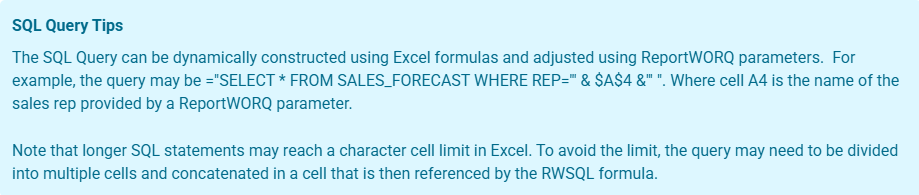
RW.Relational.Export aka RWSQL executes a SQL query and imports the result set into an Excel range or named table. If you are on version 5.0.0.91 or earlier use RWSQL.
Syntax#
=RW.Relational.Export(targetRange, connectionName, query)
Arguments#
| # | Name | Type | Default | Description |
|---|---|---|---|---|
| 1 | targetRange | Range / table | (required) | Output range or named table. |
| 2 | connectionName | String | (required) | Configured SQL connection name. |
| 3 | query | String | (required) | SQL query text. |
Behavior#
RW.Relational.Exportruns as a one-time report-generation formula.- If
targetRangeresolves to a named table, ReportWorq imports the data into the table body. - Otherwise, ReportWorq writes the result set starting at the supplied range.
- The formula cell is set to the query text after a successful import.
RW.Relational.Exportruns before post-processing steps such as RW.Tools.Sort, RW.Tools.BlankRow, and RW.Tools.Suppress
Usage notes#
- Use a table target when you want Excel tables, structured references, or automatically expanding downstream charts.
- Leave enough room for the full query result when using a plain range target.
Examples#
=RW.Relational.Export(A1, "DefaultConnection", "SELECT * FROM Sales WHERE Year = 2026")
=RW.Relational.Export(SalesTable, "WarehouseDB", "SELECT CustomerID, Amount FROM Orders")
Common mistakes#
| Situation | Result |
|---|---|
| Invalid target range or table name | Formula errors before the query runs |
| Blank query text | Formula errors |
| Query returns more data than expected | Imported data expands into the target area |
RW.Relational.Update#
RW.Relational.Update aka RWSQLUpdate writes values back to SQL by updating the row that matches a key column and key value. If you are on version 5.0.0.91 or earlier please use RWSQLUpdate.
Syntax#
=RW.Relational.Update(connectionName, table, idColumnName, idColumnValue, columnName1, value1, [columnName2, value2], ...)
Arguments#
| # | Name | Type | Default | Description |
|---|---|---|---|---|
| 1 | connectionName | String | (required) | Configured SQL connection name. |
| 2 | table | String | (required) | Table to update. |
| 3 | idColumnName | String | (required) | Key column used in the match condition. |
| 4 | idColumnValue | Value | (required) | Key value to match. |
| 5+ | columnName, value | Repeating pairs | (required) | One or more column/value pairs to update. |
Behavior#
- At least six arguments are required so that one column/value pair is present.
- The formula is processed during input/writeback handling.
- On success, the formula cell is cleared.
- ReportWorq records tuple-log information for the connection, table, key, and updated columns.
- Unlike RW.Relational.Upsert,
RW.Relational.Updatedoes not request insert behavior for missing keys.
Usage notes#
- Use
RW.Relational.Updatewhen the target row must already exist. - Additional column/value pairs can be appended in the same formula.
Examples#
=RW.Relational.Update("DefaultConnection", "Users", "UserID", 123, "Email", "new@email.com")
=RW.Relational.Update("CRM", "Accounts", "AccountID", A1, "Manager", B2, "Territory", C3, "Priority", "High")
Common mistakes#
| Situation | Result |
|---|---|
| Fewer than 6 arguments | Formula errors during parsing |
| Blank connection, table, key name, or key value | Formula errors during parsing |
| Odd number of trailing column/value arguments | The unmatched trailing item is ignored |
RW.Relational.Upsert#
RW.Relational.Upsert aka RWSQLUpsert writes values back to SQL by updating an existing row or inserting a new row when the key does not already exist. If you are on version 5.0.0.91 or earlier please use RWSQLUpdate.
Syntax#
=RW.Relational.Upsert(connectionName, table, idColumnName, idColumnValue, columnName1, value1, [columnName2, value2], ...)
Arguments#
| # | Name | Type | Default | Description |
|---|---|---|---|---|
| 1 | connectionName | String | (required) | Configured SQL connection name. |
| 2 | table | String | (required) | Table to update or insert into. |
| 3 | idColumnName | String | (required) | Key column used in the match condition. |
| 4 | idColumnValue | Value | (required) | Key value to match or create. |
| 5+ | columnName, value | Repeating pairs | (required) | One or more column/value pairs to write. |
Behavior#
RW.Relational.Upsertshares the same parser and argument rules as RW.Relational.Update.- During processing, ReportWorq enables the formula's upsert mode because the function name is
RW.Relational.Upsert. - On success, the formula cell is cleared.
- Tuple logging is captured in the same way as
RW.Relational.Update.
Usage notes#
- Use
RW.Relational.Upsertwhen the workbook may create brand-new rows as part of contribution processing. - If the key already exists, the row is updated instead of inserted.
Examples#
=RW.Relational.Upsert("AnalyticsDB", "Forecasts", "ForecastID", "Q3_2026", "Revenue", 5000000, "Confidence", 0.95)
=RW.Relational.Upsert("CRM", "Accounts", "AccountID", A1, "Status", "Active", "Territory", B2)
Common mistakes#
- Expecting
RW.Relational.Upsertto preserve unmatched trailing arguments; trailing odd arguments are ignored just as they are inRW.Relational.Update. - Using it when inserts are not allowed by the target database or connection.
Feedback on this page
Comments, questions, requests, or something missing or unclear? Email us - the page you are on is filled in for you.
Email feedback on this pageOr write to support@reportworq.com directly.