
Audit logs#
Settings ▸ Auditing is the read-only surface for reviewing what happened on the instance. It presents four logs as tabs, in this order: System Log, Job Log, AI Interactions, and MCP Server Log. It is the instance's accountability layer, the authoritative record for compliance, security review, AI cost attribution, and execution troubleshooting.
Auditing is administrator-only; a non-administrator never sees it. The System and Job logs are governed by the retention and enablement settings on Configuration ▸ Logging, described in Server configuration.
The four tabs#
| Tab | What it records |
|---|---|
| System Log | Administrative and operational events: configuration changes, security events, scheduling actions, job authoring, content changes, licensing, and version events. |
| Job Log | The outcome of every job execution, one immutable record per run. |
| AI Interactions | Every call to a configured AI provider, the AI usage and token-billing trail. |
| MCP Server Log | MCP request activity, the desktop-AI and Copilot access path. |
System Log is active when the screen first opens. Drilling into any row hides the tab strip and shows a detail surface with a Close that returns to the list.
System Log#
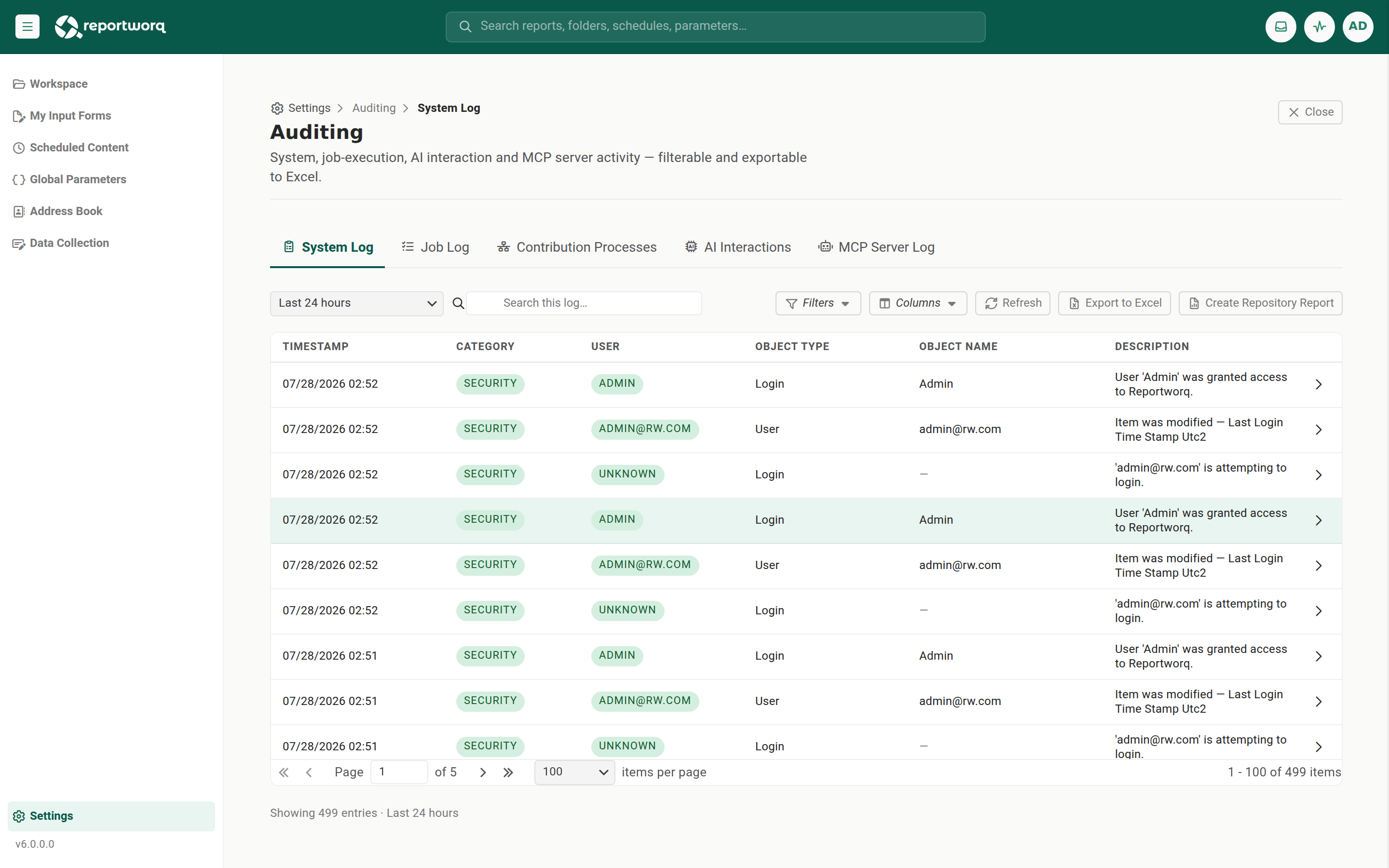
The System Log is the authoritative record of administrative and operational events. It records application actions on logical items (one entry per item change, not per physical file write), with a property-level before-and-after difference on updates, and bulk entries that summarize a multi-item operation (for example "7 item(s) deleted") with per-item detail embedded. Ids are resolved to names at write time, so descriptions carry no raw ids.
| Column | Meaning |
|---|---|
| Source | The machine and component, rendered as {MachineName} - {Application}. |
| Timestamp | When the event occurred. |
| Category | The object category (see below). |
| User | The acting account; system actions show as SYSTEM. |
| Object Type / Object Name | What was acted on. |
| File | The associated file, where applicable. |
| Modifications | The change detail; an update carries the before-and-after difference. |
| Description | A human-readable summary. |
Entry types are INFORMATION, WARNING, ERROR, CREATE, UPDATE, and DELETE. Each entry also carries an environment block: MachineName (the host), Application (the emitting component: Web App, Job Runner, Staff Console, or Load Balancer), and HostingType (OnPrem, SingleTenantCloud, or MultiTenantCloud).
The category comes from a fixed set: Informational (app start and stop, software updates), Licensing, Security (user management and sign-in), Settings (datasource connections, providers, distributors), BuiltInReportProvider, Scheduling, Jobs, Contacts, GlobalVariables, JobHistory, Writeback, MessageTemplates, ReportDataModels, ReportModels, DataModels, ReportSpecs, GlobalParameterValues, TempStorage, DataModelContainers, and WorkspaceFiles.
A Create Repository Report action is available on this tab for a full repository snapshot. See The repository metadata report.
Job Log#
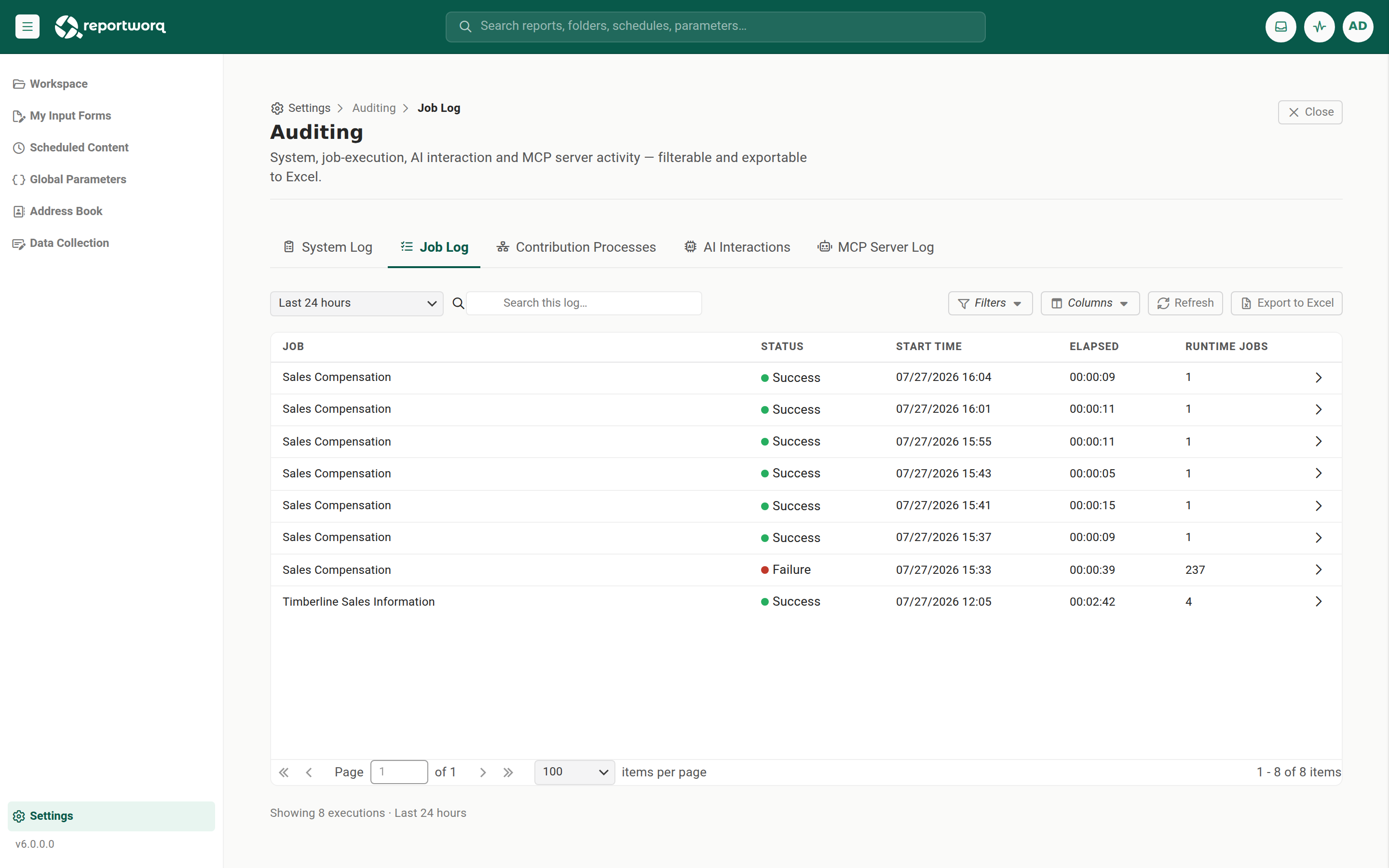
The Job Log records the outcome of every job execution. Each execution is written once, as an immutable record keyed by its execution id, on job completion, so a systems integration can safely consume one record per run.
| Column | Meaning |
|---|---|
| Name | The job name. |
| Status | The execution outcome. |
| Execution ID | The unique key for the run. |
| Start / End / Elapsed Time | Timing. |
| Parameter Overrides | Any parameter values supplied for the run. |
| RuntimeJob Count / Runtime Job Names | The runtime jobs the execution produced. |
A row expands to a nested grid of its runtime jobs, each with name, status, elapsed time, and parameters. The record also carries the machine name, the OS service account the run executed under, and the workspace.
Retention is judged on the record's creation date, and an integration must consume before the window expires. A Job History record is written once and never updated, but retention deletes it based on when it was created, not last touched. If an external system consumes Job History as its system of record, set that log's retention to
0(keep indefinitely) so records are not swept out from under it. Configure this on Configuration ▸ Logging.
AI Interactions#
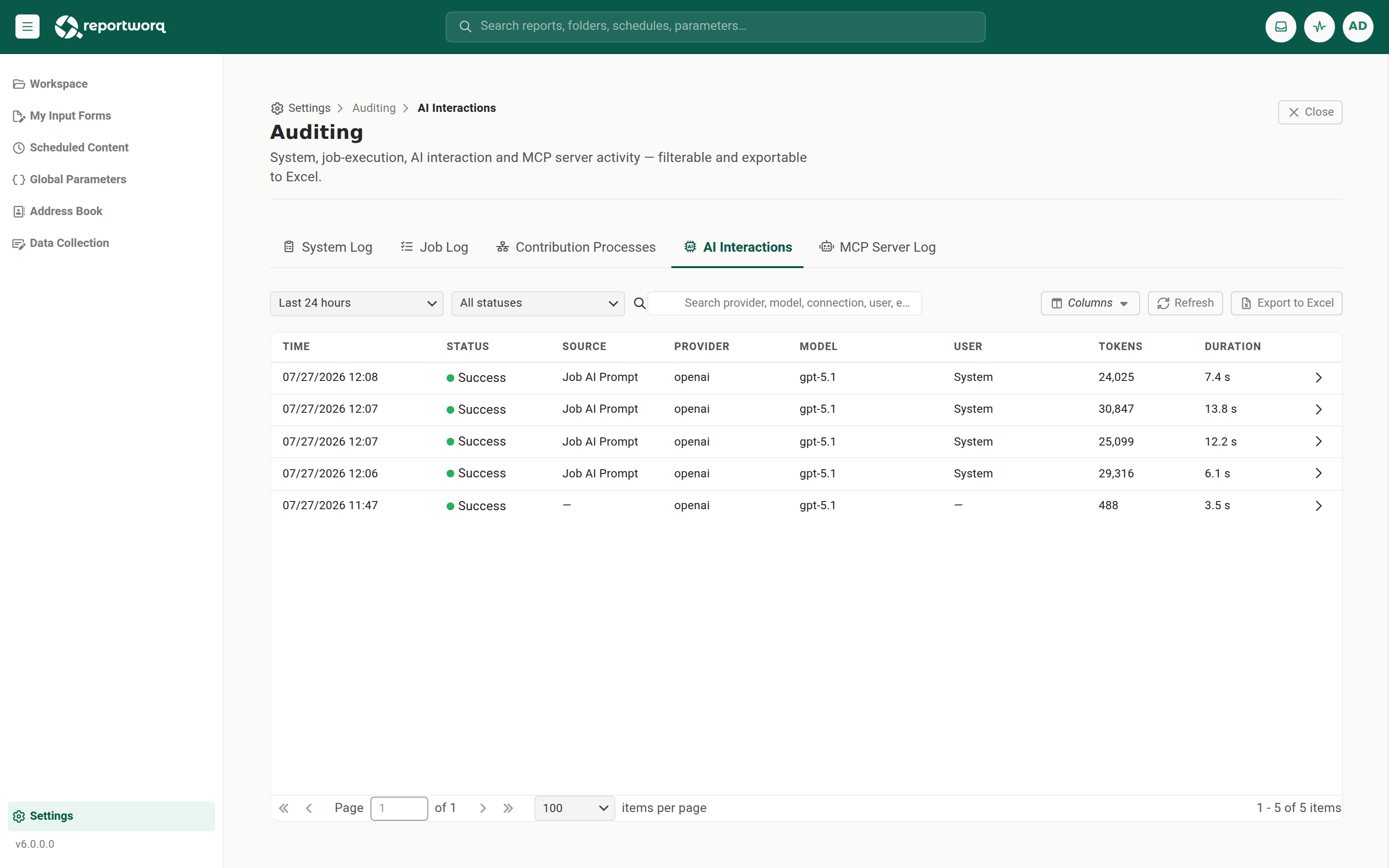
The AI Interactions log records every call to a configured AI provider (for example OpenAI, Azure OpenAI, or AWS Bedrock). It carries timestamp and status, the source, the provider, model, and connection, the user, workspace, and job id, the request id, token counts (prompt, completion, and total), prompt and response sizes, duration, and the finish reason or error. Prompt and response bodies are stored compressed and shown on drill-in. It is the AI usage and token-billing trail.
MCP Server Log#
The MCP Server Log is Reportworq's audit trail of AI access to reports over MCP, the access path used by desktop AI clients and the Copilot integration. It records every MCP tool call that reached a tool (who saw what, and when) and every request rejected at the authentication gate before any tool ran. It audits the tool request-and-result exchange, not the AI model's conversation; that conversation is recorded in the AI Interactions log.
Each event captures the time, the outcome (Success, Tool error, Not found, Access denied, or Gate denied), the tool called, the resolved target report and workspace, the caller, the client (derived from the User-Agent, for example Copilot or an Anthropic client), the transport (direct or CloudHub relay), and the duration. Drilling into a record shows the full request arguments and result body. Credentials are never written to a record.
MCP audit logging is on by default, set at Settings ▸ Configuration ▸ Audit Logging, with a 90-day retention window. Turning it off stops new records but leaves existing ones in place. For the full field list, outcome definitions, and toolbar detail, see MCP audit.
Controls on every tab#
Each tab shares a common toolbar:
- A time range dropdown (Last hour through All time).
- A search box, plus Filters and Columns controls.
- Refresh.
- Export to Excel, which downloads a per-log workbook (an empty log still produces a header-only workbook). A drilled-in record can be exported with Download record.
Notes and limits#
- The logs are a durable, read-only record, not a live monitor of running jobs. For live and near-term job activity, use Activity and Run History.
- Records are subject to retention, so export before the window expires. On the retention settings,
0means keep indefinitely, and retention is judged on the record's creation date. - The AI Interactions and MCP tabs are empty on an instance that has made no such calls.
- Contribution activity is not audited. Opening, editing, submitting, approving, or rejecting an input form leaves no audit record here or anywhere else. What a contribution campaign collected is visible in the campaign itself, not in these logs.
Going deeper. To bundle log files into a support packet (a different tool from this viewer), see Log diagnostics and support packets.
Feedback on this page
Comments, questions, requests, or something missing or unclear? Email us - the page you are on is filled in for you.
Email feedback on this pageOr write to support@reportworq.com directly.