
Pause job execution#
The global execution pause lets a system administrator stop Reportworq from touching your data sources for a while, and then let it carry on. Use it when something else needs a quiet system, for example:
- A maintenance window on any data source, such as a TM1 server, a database or a cloud source.
- A dimension update that should not run while reports are querying the same dimensions.
- A patch or restart of a database that distribution jobs query, such as SQL Server.
- A maintenance window at a cloud source such as Workday or Anaplan.
- A restart or an upgrade of a Planning Analytics server, or of any server that holds your data.
While Reportworq is paused:
- New jobs wait. Jobs that are queued, scheduled or started from the API stay Pending and start when the pause ends.
- Running jobs pause at a safe point. A running job does not stop in the middle of a query. It holds just before its next data-source query (to TM1, a database, an Analysis Services cube, or a cloud source such as Workday, Anaplan, Vena, Pigment or Adaptive) or its next step (generating, merging, distributing), and carries on from that point when Reportworq resumes. A job that is already inside a query finishes that query first, and that includes a download from a cloud source, which is read to the end before the job holds. A long query or download can therefore delay the moment Reportworq reports it is quiet.
- Reportworq tells you when it is quiet. Once every running job has paused, no data-source query is running, and the status reads All jobs paused, safe to proceed. That is your signal to start the maintenance.
The pause covers every workspace on the Reportworq server and every machine that runs jobs for it.
You can pause from the Activity screen, from the REST API, or from a Turbo Integrator process using the pause samples for Planning Analytics.
Pause from the Activity screen#
Only system administrators see the pause controls. They sit in the page header of Activity, beside Refresh.
Open Activity.
Select Pause jobs. A menu opens under the heading Pause all jobs:
- Until I resume pauses until someone resumes.
- For 15 minutes, For 30 minutes and For 1 hour pause for that long.
- For a number of minutes... asks for a number. Enter a number greater than 0. The longest pause is 525,600 minutes (one year).
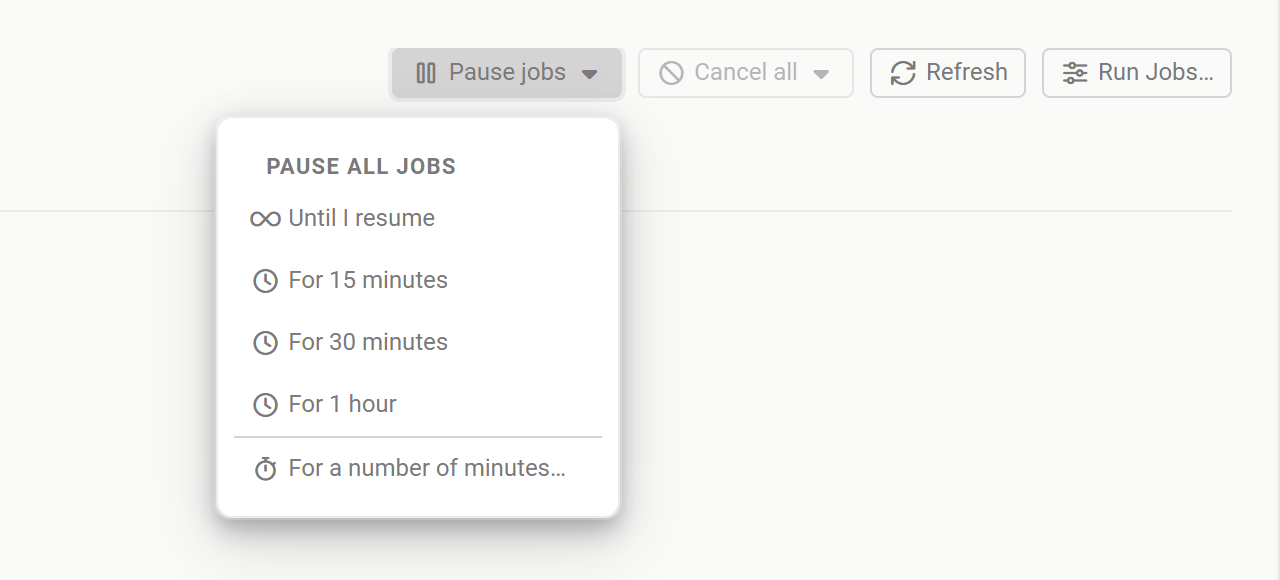
The Pause jobs menu open on the Activity screen, listing Until I resume, For 15 minutes, For 30 minutes, For 1 hour and For a number of minutesTap or click the image to view it full screen Watch the status message under the page header until it reads All jobs paused, safe to proceed (or Paused until a time, for a timed pause). The message, which everyone who can open Activity sees while Reportworq is paused, ends with Applies to every workspace on this server., and the Pause jobs button's tooltip says the same.
For a timed pause, the time counts from the moment every running job is paused, not from the moment you chose it, so the quiet time you asked for is the quiet time you get.
Read the status#
While Reportworq is paused a status message appears under the Activity page header. Its color tells you where things stand: amber while running jobs are still reaching a safe point, green once every one is held.
| Message | Meaning |
|---|---|
| Pausing: no jobs are running, confirming in a few seconds. | Nothing is running. Reportworq waits a few seconds, in case a job was just starting, before it reports that it is quiet. |
| 12 of 17 running jobs paused. | Jobs are still finishing their current step. Wait. |
| All jobs paused, safe to proceed. | Every running job is held. Start your maintenance. Shown for a pause that lasts until resumed. |
| Paused until 14:30. | A timed pause where every running job is held. Reportworq resumes by itself at that time (the date is added when it is not today). The time is the server's local time. |
| Paused by 2 requests. followed by one of the messages above | More than one pause is active, for example one from Activity and one from the API. Reportworq stays paused until every one of them is released or has run out. |
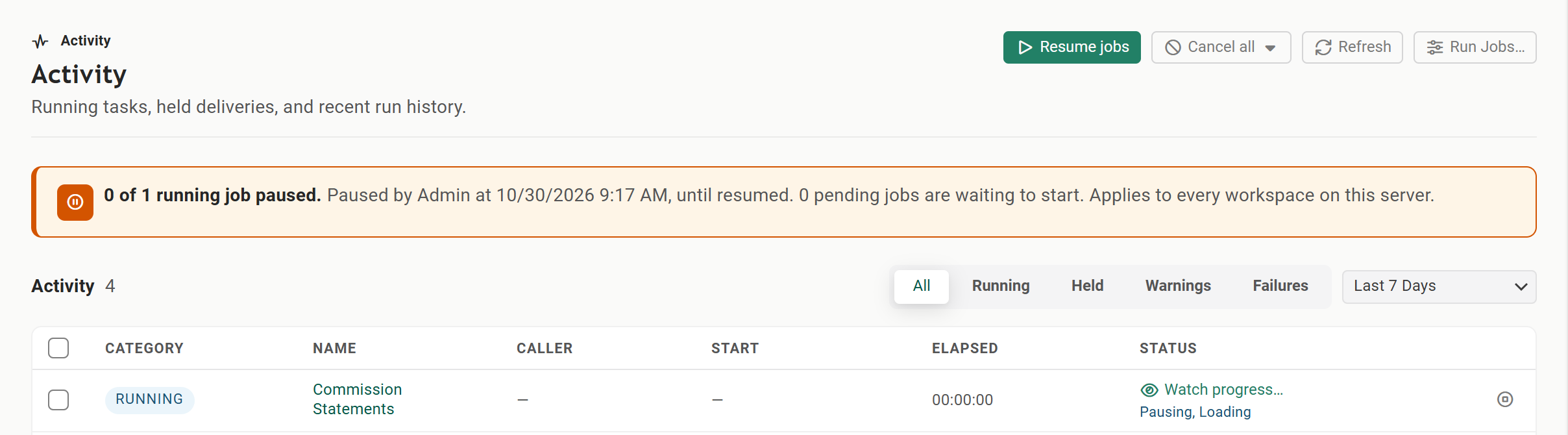
Once the last running job holds, the status turns green and each held job's row shows Paused:

Below the message, a line says who asked for the pause, when, how long it lasts and how many jobs are waiting to start.
People who are not system administrators see only Jobs are paused by an administrator. and that queued jobs start, and running jobs carry on, when they resume. They never see another workspace's numbers.
Paused rows#
In the Activity grid, a running job that is held shows a Paused chip in the Category column in place of Running, and its progress bar stops moving. The progress text starts with what the pause is doing to that job:
| Text | Meaning |
|---|---|
| Paused, ... | The job is held at a safe point, with no data-source query running, and its work waits for the resume. |
| Pausing, ... | The job is finishing its current step or data-source query and holds at the next safe point. |
| Cannot pause, ... | The job runs inside the web app and cannot pause. See Limits of the pause. |
The header indicator#
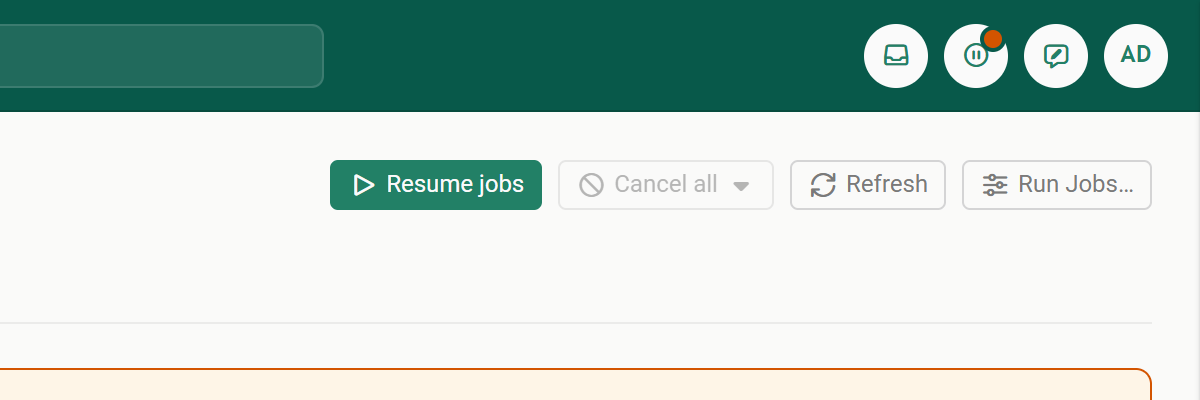
On every screen, a system administrator sees when jobs are paused: the Activity icon in the application header turns into a pause icon with a small amber dot, and the running animation stops. Hover over it to see the running jobs and the pause status. Resuming is done on the Activity screen.
Resume#
While paused, Pause jobs is replaced by Resume jobs. It ends every active pause at once, including one started from the API, and queued jobs start again. If more than one pause is active, Reportworq asks you to confirm first, because some of them may belong to Turbo Integrator processes.
The API's resume command without a holdId does the same: it is an all-clear for every pause, whoever made it.
Cancel all#
Cancel all is in the page header too. It is available when any job is running or pending. Choose:
- Cancel pending jobs to cancel only the jobs waiting in the queue. Running jobs, and jobs held by a pause, carry on.
- Cancel running jobs to cancel every running job. Pending jobs stay in the queue.
- Cancel running and pending jobs to cancel the jobs waiting in the queue as well.
After you confirm, Reportworq cancels the jobs in every workspace on the server and reports how many it canceled. A cancel cannot be undone. Cancel all does not start or end a pause, so pause first when you want nothing to start again.
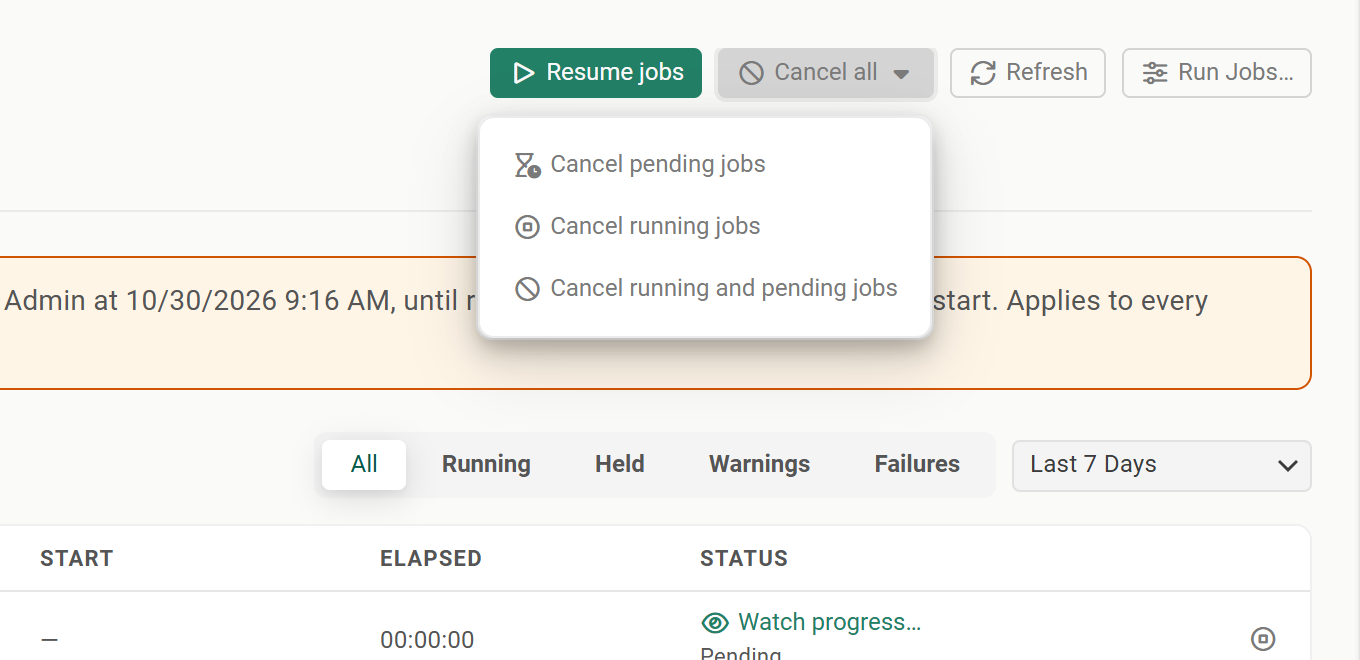
Use Cancel pending jobs during a pause when you want to clear the backlog and let the work in flight finish.
Cancel all in the API is narrower. The Activity screen cancels across every workspace. The API's
cancelallcommand cancels only the jobs of the workspace the access token belongs to.
Limits of the pause#
Jobs that run inside the web app cannot pause. Jobs normally run in their own job process. If Enable Out of Process Job Execution is turned off (Settings, Configuration, Performance), a job runs inside the web app, never pauses, and is counted in the status message as one that cannot pause, for example 2 of 3 running jobs paused (1 runs inside the web app and cannot pause). Reportworq does not report All jobs paused while such a job runs. Only the start of new jobs is held.
A job in a long stretch without data-source calls answers later. A job holds at its next data-source query or step. If it is in the middle of a long calculation, a large file operation or a slow distribution step, it keeps going until it reaches the next safe point, so All jobs paused can take a while to appear.
Some work is not paused. Writeback and contribution work are not held. Reports opened and burst in the web report viewer, and the Analyst in the Office add-in, query your data sources from the web app itself and are not held either. Do not rely on the pause to keep these away from a data source.
Reportworq's own storage and your report files are not paused. The pause holds queries to your data sources. It does not stop Reportworq reading its own content store, job history or audit records, and it does not hold the loading of a source report or template from file storage such as Box or Google.
Previews are refused while paused. A report preview or a test run started in the job editor while Reportworq is paused does not run, whether jobs run in their own process or inside the web app. It shows Jobs are paused by an administrator. Previews are not available until they resume. Nothing waits in a queue: run the preview again after the resume.
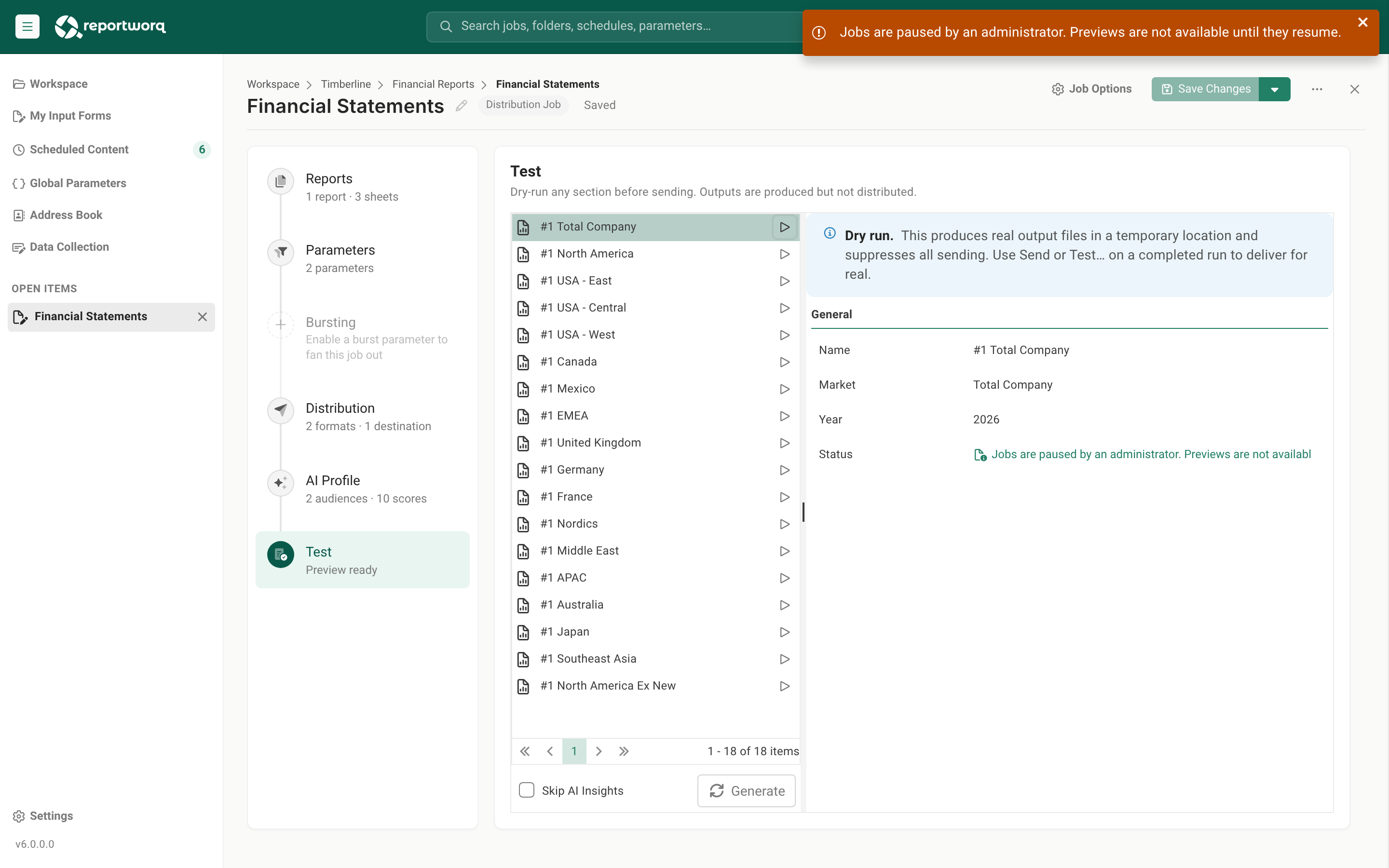
The job editor's Test step during a pause, with a red message at the top right reading Jobs are paused by an administrator. Previews are not available until they resume.Tap or click the image to view it full screen A preview that was already running when the pause started is held like any other job, at its next data-source query or step, and carries on after the resume. While it is held, the job editor shows a Paused chip (on the test screen, with Paused by an administrator. Continues after the resume. under the status), and its row on Activity shows Paused.
Signing in to TM1 is held too. A job that is about to sign in to TM1 holds first, so a pause is not reported as reached while a sign-in is under way.
Upgrade the web app before the job machines. A job process on an older release never reports that it has paused, so Reportworq can never report that all jobs are paused while it runs. Upgrade the Reportworq web app first, then the machines that run jobs. See Distribute the load for the machines that run jobs.
A pause survives a restart. If the Reportworq web app restarts during a pause, it is still paused when it comes back. A timed pause that ran out while the web app was down ends at start-up. Reportworq also waits a few seconds after a new pause request, and after a restart, before it reports that all jobs are paused, to give running jobs time to answer. The pause is saved in
instance/execution-pause/state.jsonin the Reportworq repository folder.The pause is controlled from the web app. The pause API answers 404 if the request reaches a machine that only runs jobs.
Going deeper. For the calls a script or Turbo Integrator process makes, see Pause and resume by API. For the ready-made processes, see Pause samples for Planning Analytics. To watch jobs and cancel one, see Track activity and run history.
Feedback on this page
Comments, questions, requests, or something missing or unclear? Email us - the page you are on is filled in for you.
Email feedback on this pageOr write to support@reportworq.com directly.