
Connect the Reportworq Content Store#
The Reportworq Content Store is a built-in datasource that lets Reportworq report on itself. It projects Reportworq's own content, run-history, and audit stores into a read-only relational database, so you can query jobs, schedules, run history, the audit trail, users, groups, entitlements, datasource inventory, and connected integrations with SQL, in a data model, and in a scheduled distribution job, exactly as you would any other relational source.
Unlike every other connector, it is self-configuring: there is no connection string, no credentials, and no driver to install. You add it in one click, and Reportworq builds and refreshes the underlying database for you.
Use it for operational reporting on the instance itself: runs per day and their outcomes, failures and warnings, what each schedule runs, which datasources are connected in which workspaces, user and group membership, entitlements, and licensing. For a ready-made set of jobs that do this, see the Audit Reports content pack.
Before you begin#
- You are a system administrator, working in Settings > Integrations > DATASOURCES. Only a system administrator reaches this screen. See Connect a data source for the general add-and-test flow.
- You have decided which workspace this datasource belongs in. It exposes data from every workspace and from system-level stores, so place it in a workspace whose members are meant to see cross-tenant and administrative data. See Understand what it exposes below before you add it.
Add the datasource#
- Go to Settings > Integrations and select Add integration.
- In the catalog, find Reportworq Content Store and select Add. This creates the datasource and opens its editor.
- In the General section, select Enable Integration.
- Give it a recognizable Display name. A new datasource starts with a generic placeholder name, so rename it to something authors will recognize, for example Reportworq Content Store. Authors reference the connection by this name when they bind a data model to it.
- Set the datasource's Availability to the workspace you chose above, so that only that workspace's members can use it. See Understand what it exposes.
- Select Save Changes.
- Select Test Connection. A working datasource returns "Success." The test proves that Reportworq built the projected database and that it is the content-store projection.
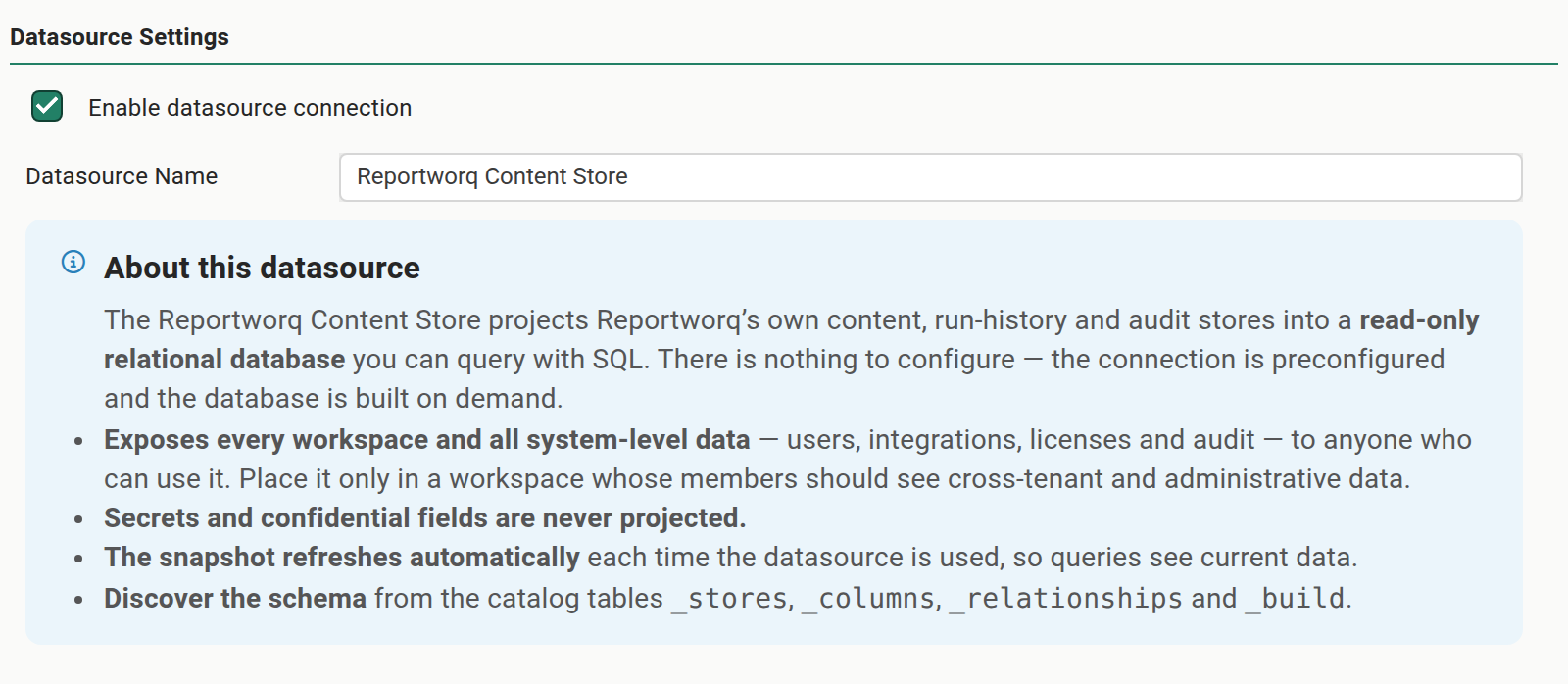
There is nothing else to configure. Like every other datasource editor, it is enabled and named in the General section. The Datasource Settings section holds only an About this datasource notice that restates what the datasource exposes, that secrets are never included, that it refreshes on use, and where to discover its schema.
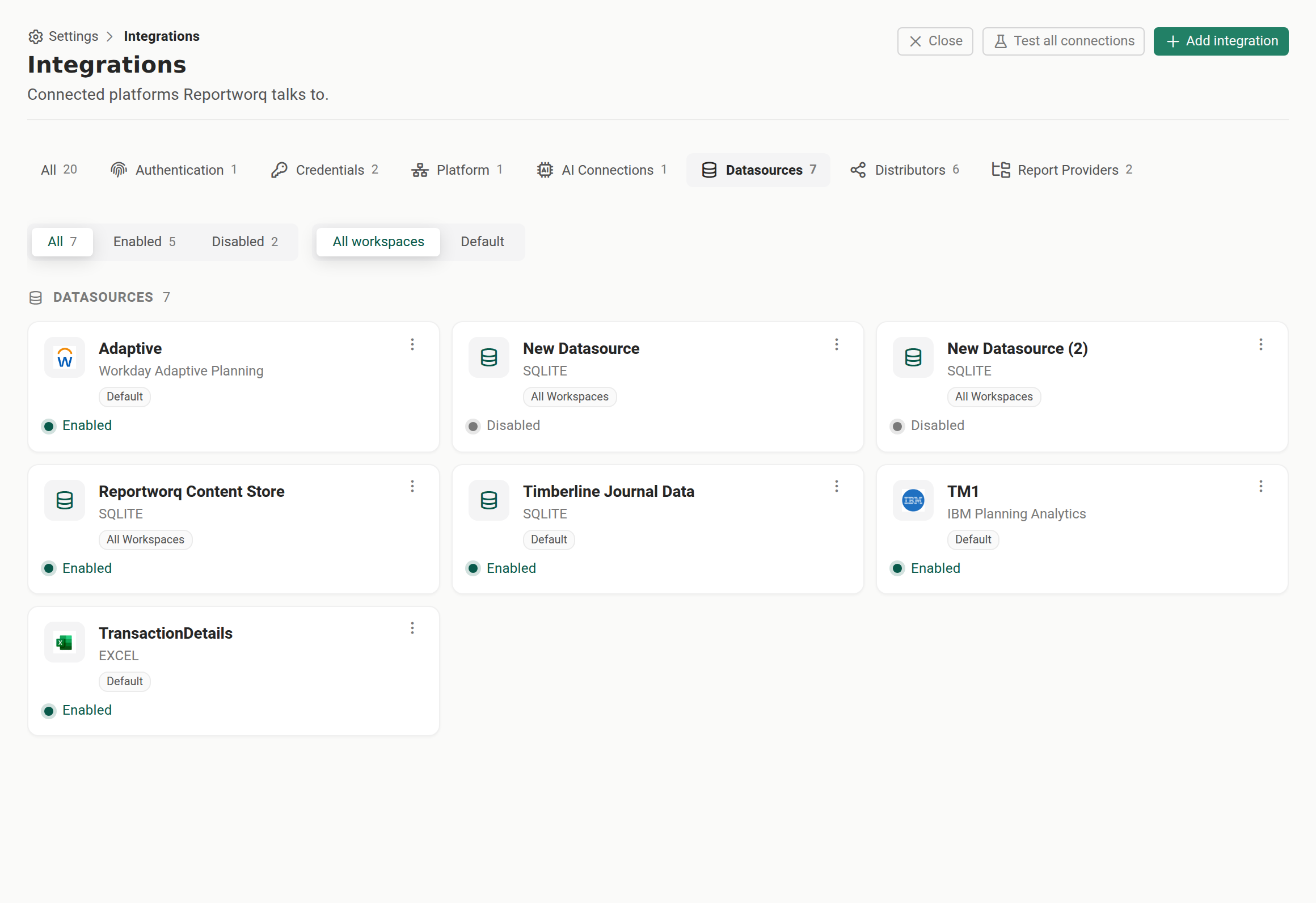
After you save, the datasource appears in the DATASOURCES family on the Integrations screen, enabled and ready for an author to bind a data model to it.
Understand what it exposes#
The Reportworq Content Store is all-tenant by design. It always projects every workspace on the instance plus the system-level stores (users, groups, entitlements, integrations, licenses, and the audit trail) into one shared database. There is no per-workspace filtering of the data it contains: anyone who can use the datasource can query data from every workspace.
Because of this, access is governed the same way as for any datasource, by where you place it. Like every datasource, its Availability decides which workspaces can use it, and only the members and authors of a workspace where it is available can build data models or distribution jobs on it. Treat that placement as the security control:
- Place the datasource in a workspace dedicated to administrative or operational reporting, whose members are already trusted with cross-tenant and system-wide data.
- Do not make it available in a general-purpose or tenant-specific workspace, where an author who should see only their own workspace's data would be able to read every workspace's data through it.
Cross-tenant exposure. Anyone who can use this datasource can report on data from every workspace and on system-level data such as users, integrations, and licensing. Restrict its Availability to a workspace whose members are meant to see that.
Secrets are never included#
Reportworq removes sensitive values before they ever reach the projected database. Passwords, API keys, tokens, connection strings, and any field marked confidential are dropped during the projection, so they appear in neither the columns nor the stored records. A job that reads the datasource inventory, for example, lists each connection's name, type, workspace, and who last changed it, but never its credentials.
What you can report on#
The datasource presents Reportworq's operational data as a set of related tables. At a useful level, you can report on:
- Jobs and schedules. Every distribution job and scheduled item, and which jobs each schedule runs.
- Run history. Job runs over time, their status, timing, and the errors and warnings they produced.
- The audit trail. The job-execution audit records, which are retained longer than run history (see Notes and limits).
- Users and security. User accounts, group membership, and entitlements.
- Datasources and integrations. Which connections and integrations are configured, and in which workspaces, without their secrets.
- Write-back activity. Contribution write-back uploads and their delivery status, where write-back is in use.
- Licensing. The instance's license artifacts and acceptance state.
Rows from every workspace live in the same tables and carry a workspace identifier, so you can group or join by workspace, or join a run back to the job and schedule that produced it.
Discover the schema from inside SQL#
The datasource describes itself. Four catalog tables let an author list exactly what is available without leaving SQL:
_storeslists every projected table, its scope, and its row count._columnslists every column, its type, and where it came from._relationshipslists the join relationships between tables._builddescribes the most recent build of the snapshot.
Query these first when you write a new query, to find the current table and column names rather than assuming them. The Audit Reports content pack includes a Catalog data model built on exactly these tables.
How the snapshot stays current#
The datasource reads from a snapshot that Reportworq rebuilds automatically. Each time a job or query reads the datasource, Reportworq refreshes the snapshot if it is more than a few seconds old, so a job sees current data without any manual refresh. The snapshot is rebuilt from scratch, so on an instance with a very large run history or audit trail the first read after a change waits briefly while it rebuilds.
Notes and limits#
- Read-only. The datasource is for reporting only. It is a snapshot, not a live view, and it cannot be written to.
- All-tenant. It always spans every workspace and the system stores; there is no option to scope its data to one workspace. Placement controls who can use it, not what it contains.
- The audit trail outlives run history. Job-execution audit records are kept longer than run history (365 days by default, against 90 days for run history), so a query that joins the audit trail to run history can show audited runs whose run-history record has already aged out. This is expected. See Retention and Audit logs.
- Empty on a new instance. Tables backed by activity, such as run history, are empty until your jobs and schedules have run. Current-state tables, such as jobs, users, and integrations, have data as soon as the instance does.
Related pages#
- Audit Reports content pack for three ready-made distribution jobs that report on job activity, users, and security that run on this datasource. This is the fastest way to see it in action.
- Connect a data source for the general add, test, and Availability flow.
- Connector catalog for every other datasource connector Reportworq ships.
- Audit logs for the audit trail this datasource projects.
Going deeper. To turn the content store into curated, reusable fields for authors, build a data model on top of it. See Data models.
Feedback on this page
Comments, questions, requests, or something missing or unclear? Email us - the page you are on is filled in for you.
Email feedback on this pageOr write to support@reportworq.com directly.