
Overview#
Reportworq supports the refresh of Excel-based reports created using the Anaplan Excel add-in. These reports use specifications that are embedded into hidden properties on each worksheet. Reportworq understands these report specifications and can use them to dynamically query data from Anaplan to update Excel worksheets. Reportworq refreshes data using the Anaplan REST API.
Reportworq helps you automate Anaplan-enabled Excel reports by using Reportworq Parameters to copy sheets and adjust filter elements in report specifications. Reportworq additionally supports Anaplan-specific Parameter types, driven by Anaplan Dimension element selections.
This article includes the following topics:
Datasource Configuration#
Reportworq Administrators can add and configure an Anaplan Datasource.

To add and configure an Anaplan Datasource:
- In the Reportworq Administration interface, select the add icon
 beside the Datasources heading. The New Datasource Connection pane appears: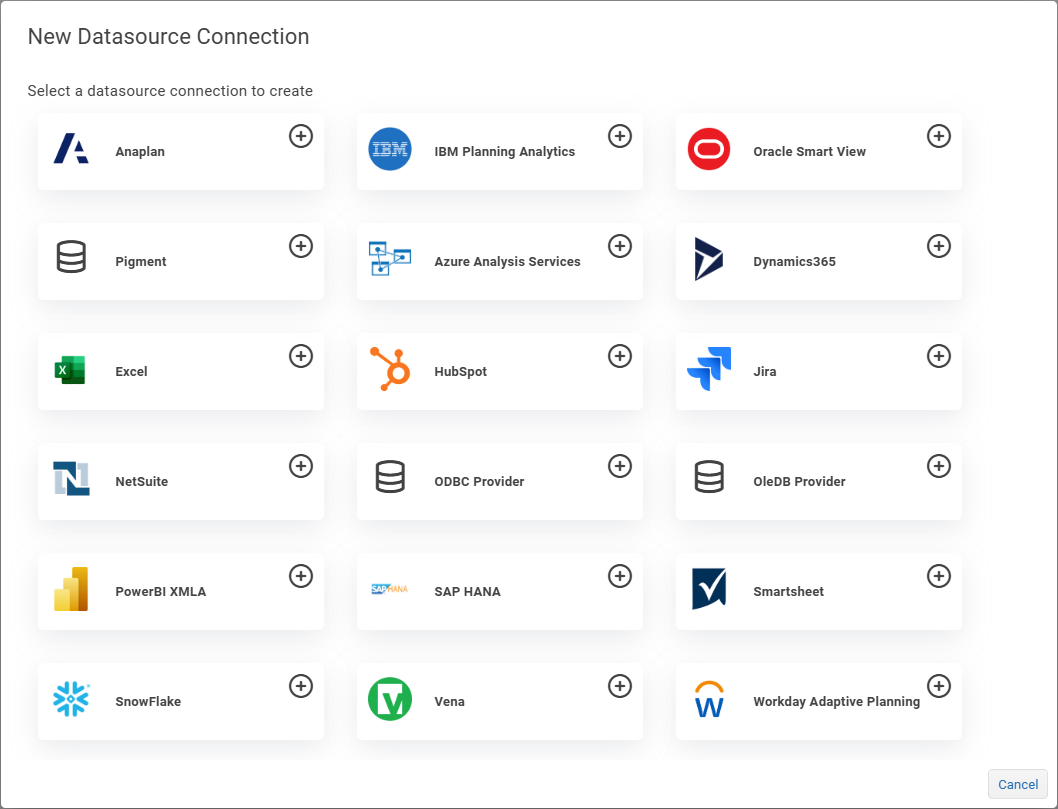
- Select the Anaplan button.
 The Datasource configuration interface appears: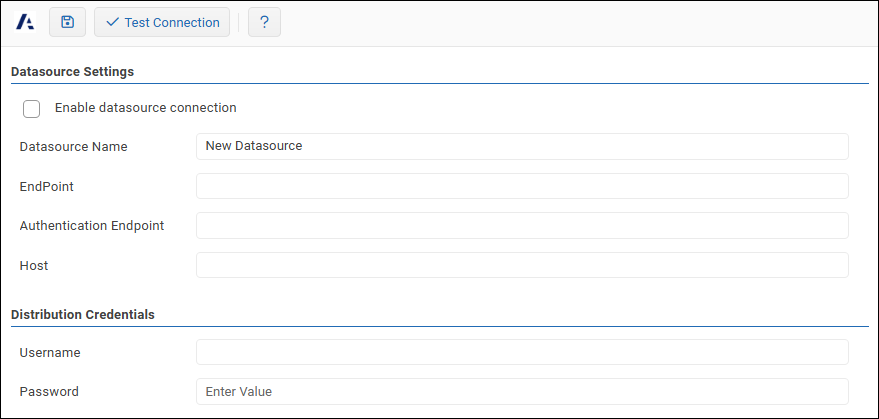
- In the Datasource Settings area, configure the following settings as required:
- Datasource Name: Provide a meaningful name for the Datasource connection. This name is visible to all Reportworq users when they access information related to Anaplan, such as when they use Parameters. The Datasource Name must be unique across all Reportworq Datasources.
- Endpoint: Specify the endpoint URL used to connect to your Anaplan environment and to access Anaplan data using the Anaplan REST API.
- Authentication Endpoint: Provide the endpoint URL used to authenticate to Anaplan. Unless you are using a custom authentication provider, the Authentication Endpoint is normally defined as 'provider: auth.anaplan.com'.
- Host: This is the Host used to connect to your Anaplan environment, and to access Anaplan data using the Anaplan REST API.
- In the Distribution Credentials area, provide the Username and Password required to access Anaplan. These are the same credentials used for other purposes, such as using the Anaplan Excel add-in.
- To confirm that the settings are properly configured, select Test Connection.
 If the test fails, edit the settings as required, and then test again.
 - In the Datasource Settings area, select the Enable datasource connection checkbox.
- Select the Save icon
 to save and apply the settings.
Parameters Specific to Anaplan#
Reportworq has an Anaplan Dimension Parameter type that you can use to select a list of elements from an Anaplan Dimension. For example, you can use an Anaplan Dimension parameter to generate multiple copies of a report, so each report is customized based on an element value from the selected Anaplan Dimension.
For more information about using Parameters in Reportworq, see Configuring Parameters.
Feedback on this page
Comments, questions, requests, or something missing or unclear? Email us - the page you are on is filled in for you.
Email feedback on this pageOr write to support@reportworq.com directly.