
You can create a Slack Distributor that distributes reports via a Slack app.
Before you create the Slack Distributor, you must create the Slack app. When you create the app, be sure to record the Bot User OAuth Token. You will need it to configure the Slack Distributor.
Configuring the Slack Distributor in Reportworq#
Reportworq administrators can open the Administration screen from the Administration button on the top right side of the page and edit Slack settings.
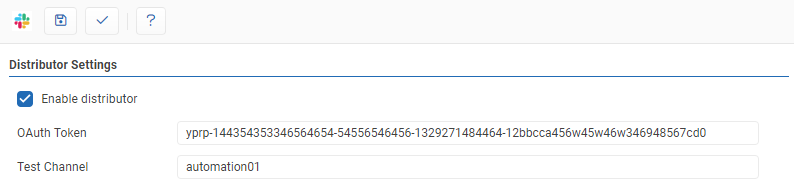
- OAuth Token -- The Bot User OAuth Token copied from the Slack app configuration.
- Test Channel -- Slack channel to use when testing the Slack Distributor.
- Test -- Clicking the '✓' button will either display a success message or show error messages with further information on missing or misconfigured settings.
- Save -- the 'Save' button saves changes made to the distributor settings.
- The Slack Distributor can be enabled or disabled by clicking the checkbox.
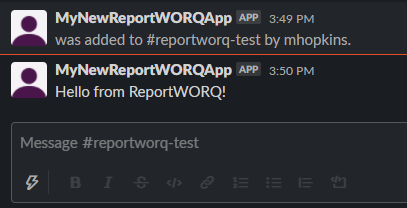
After testing a success or failure message will be displayed in Reportworq. If successful, a test message will be sent to the specified Reportworq Channel.
Feedback on this page
Comments, questions, requests, or something missing or unclear? Email us - the page you are on is filled in for you.
Email feedback on this pageOr write to support@reportworq.com directly.