
Reportworq only permits the use of reporting content from trusted locations, which are defined as Report Providers. Report Providers ensure that report distribution jobs created by Reportworq users cannot be based on invalid report sources or misused to access sensitive data or files. You can define an unlimited number of Report Providers.
Report Providers are defined by Reportworq administrators in the Report Providers section on the Administration page, which is accessible from the Administration icon on the top right in Reportworq:

To create a new Report Provider, click the '+' button beside Report Providers:
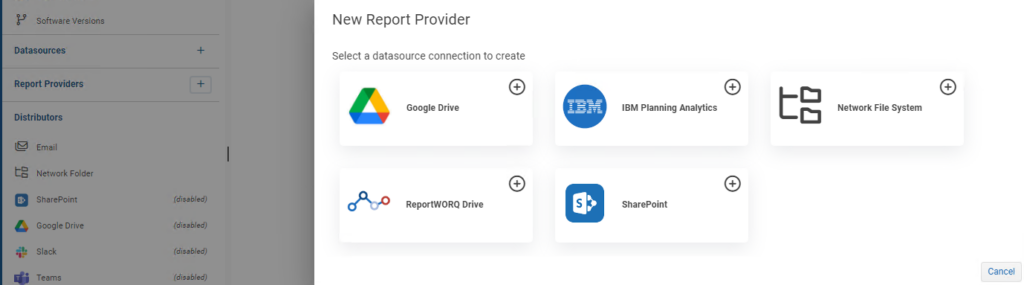
The available Report Provider options are:
- Google Drive: Used to configure access to shared or account-specific folders in Google Drive.
- Network Share: Used to configure access to folders in the file system, including local and network folders.
- Reportworq Drive: Used to configure access to folders within the Reportworq Repository.
- SharePoint Documents: Once the SharePoint Provider has been enabled, when a user selects a report for a job there will be a SharePoint section where the user can select source reports.
- IBM Cognos Planning Analytics: Once the IBM Planning Analytics Provider has been enabled, when a user selects a report for a job there will be an IBM Planning Analytics section where the user can select source reports.
End users will see any defined and enabled Report Providers when browsing for reports to add to jobs:
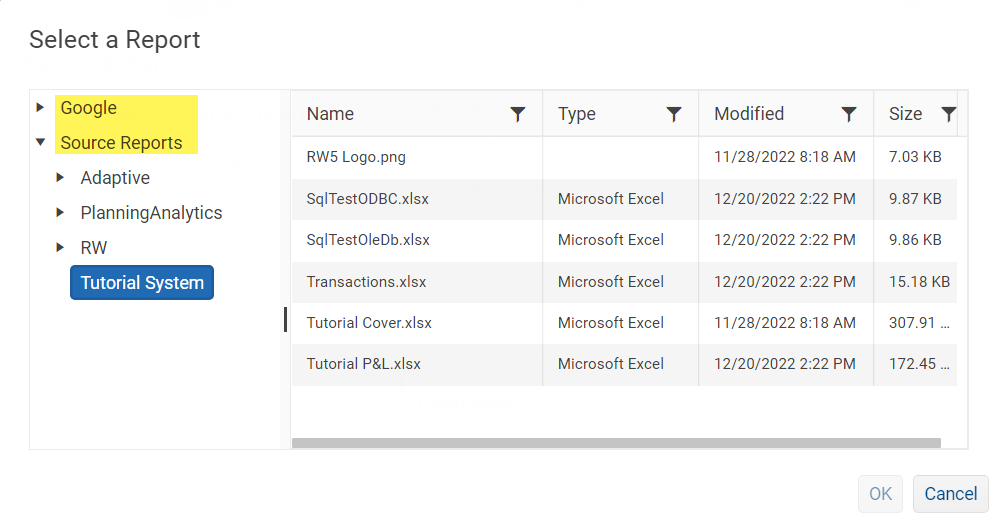
In the above example, Report Providers, named "Google" and "Source Reports", are highlighted. Additional subfolders within "Source Reports" are shown here, as are the files available in the "Tutorial System" subfolder.
Dynamic File Paths
A dynamic file path can be used to specify source reports to be included in a job, based on a parameter value.
Steps required to introduce a dynamic file path:
1 - After adding a Source Report to a job, select the 'More options' (...) link for that Report.
2 - Select 'Properties' from the context-sensitive menu to open the Report properties sidebar.
3 - The user can then customize the dynamic file path using a configured parameter to define a new file path.
e.g. c:\temp\%param:BU% Business Unit.xlsx
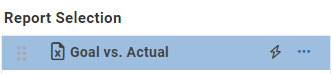
A file with a dynamic file path configured will be marked with a lightning bolt icon:
Managing Report Providers#
Disabling a Report Provider will impact both your users' ability to view files from that provider as well as the ability to successfully run any jobs that reference any files & reports from that provider. Individual Report Providers can also be edited at any time by clicking on the respective link in the Report Providers' list. Changing the folder location of a Report Provider may require you to update any jobs to reflect those changes.
Feedback on this page
Comments, questions, requests, or something missing or unclear? Email us - the page you are on is filled in for you.
Email feedback on this pageOr write to support@reportworq.com directly.