
Convert a web report to Excel#
Early release. This feature is in early release, so its screens and behavior may change. Tell us what you think with Send feedback. See Early release features and Send feedback.
Convert to Excel turns a web report into an Excel workbook in the same folder and points every job that used the web report at that workbook. From then on, each job run refreshes the workbook's lists and crosstabs where they sit, then runs the workbook like any other Excel source. The web report is deleted, and this cannot be undone.
When to use it. A controller built the monthly packet pages as a web report, and the job that distributes them now needs the full set of workbook features, such as cell parameters and a sheet replicated per region. Converting gives the job an ordinary Excel source that still holds the live reports.
Before you start#
- You are an author or administrator who may change content. Readers cannot see web reports, so they cannot convert them.
- You can see every job and campaign that uses the web report. If one is hidden from you, the conversion is refused (see the table below). Ask an administrator.
- If you only want a copy, use Export as Excel on the same ⋯ menu. It writes the same workbook next to the web report ("Exported “
.xlsx” beside the web report.") and leaves the web report and the jobs alone. The viewer's Download menu is covered in Download, burst and keep a view.
Convert a web report#
- In the workspace, find the web report. Select its ⋯ menu and select Convert to Excel.
- Reportworq builds the workbook first. If it cannot carry the report whole, it stops here and says why, and nothing is changed.
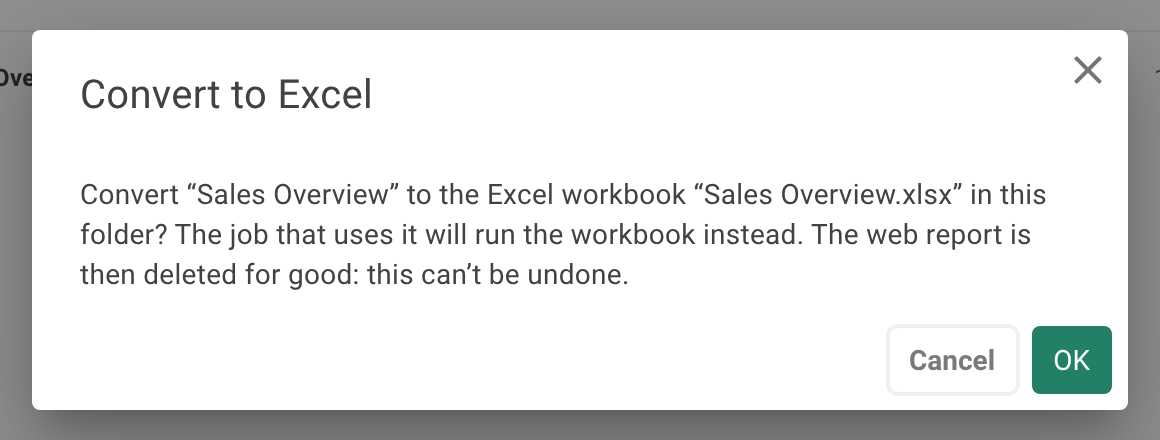
- Read the confirmation. It reads:
Convert “<name>” to the Excel workbook “<name>.xlsx” in this folder? <jobs> The web report is then deleted for good: this can’t be undone.The second sentence says how many jobs are affected: "No job uses it.", "The job that uses it will run the workbook instead." or "The N jobs that use it will run the workbook instead." - Confirm.
- Reportworq says
Converted to “<file>”.and how many jobs now run it ("One job now runs it." or "N jobs now run it.").
If the name <name>.xlsx is taken, the workbook gets a free name such as "name (1).xlsx", and the jobs use the name actually given. A job's report that was still named after the web report (<name>.rwrpt) is renamed <name>.xlsx; one you renamed keeps its name.
Nothing is refreshed at conversion time. The jobs refresh the workbook when they next run.
What the jobs do afterward#
A job whose source is a converted workbook:
- Recognizes the workbook by the report definitions stored in it. Any other workbook is left alone.
- Refreshes each list and crosstab on each sheet where it sits. Rows a report adds or gives back move the author's formulas, names, merged areas, charts and conditional formats the way Excel would.
- Calculates the author's own formulas around a report after the report refreshes, so a total under a list follows the refreshed list.
- Runs the job's parameters, replication and bursting on the workbook as on any Excel source.
- Strips the report definitions from the output, so recipients never get the report internals (data model ids, filters).
AI insights are asked again. Maps and professional reports go out as last saved. A column the author hid stays hidden.
When the conversion is refused#
Nothing is changed in any of these cases.
| What you see | Why, and what to do |
|---|---|
| "This web report is used by jobs you can't see, so it can't be converted. Ask an administrator to convert it." | A job or campaign you cannot change uses it. Every user's job is repointed or none is. |
| “ |
A job that maps its parameters to the report's own filters has nothing to map to in a workbook, and every recipient would get everything. Map its parameters to workbook cells, or remove them, then convert. |
| A message naming a job, a hidden sheet and a report ("The job “ |
A hidden sheet is refreshed too, so each of its reports must be narrowed by every filter the job sets. Map the filter to that sheet and give the report that filter, or unhide or remove the sheet, then convert. |
Professional reports are coming soon. |
The web report holds a professional report and the license does not include professional reports. Nothing is made and nothing is deleted. |
| A message naming what would be lost or moved | The workbook is checked before anything is written, and the conversion stops if it would lose or move anything. Fix what the message names, then convert. |
Notes and limits#
- Converting cannot be undone. The web report is deleted for good, not moved to a recycle area. If the conversion or the repointing fails partway, everything is put back and the new workbook is removed.
- Jobs that fail closed. A run of a converted workbook fails with "Nothing was distributed." when it cannot refresh. For example a report definition that "can't be read (damaged, edited by hand, or saved by a newer version of Reportworq), so it can't be refreshed. Convert the web report to Excel again, or remove the report from the sheet."
- Space for the report. A report needs its area free. Anything you type into the hidden rows under a list or crosstab, which the report keeps for its formats, makes the run fail. See Key-cell formats and what a job keeps.
- Size. Reports in the workbook must fit Excel's grid, ending by row 1,048,576 and column XFD.
- The workbook can be opened in the web report studio again with File, Open workbook, which makes a new web report from it.
Going deeper. To keep a web report as a source without converting it, see A web report as a job source.
Feedback on this page
Comments, questions, requests, or something missing or unclear? Email us - the page you are on is filled in for you.
Email feedback on this pageOr write to support@reportworq.com directly.